
DrumkitClone.
Drop a loop, a one-shot or a whole song and Drumkit Clone turns it into a kit: it finds every hit, groups them by sound, isolates a one-shot of each and lays them out on pads, ready to play.
VST3 · AU · AAX · App · macOS 10.15+ · Windows 10/11
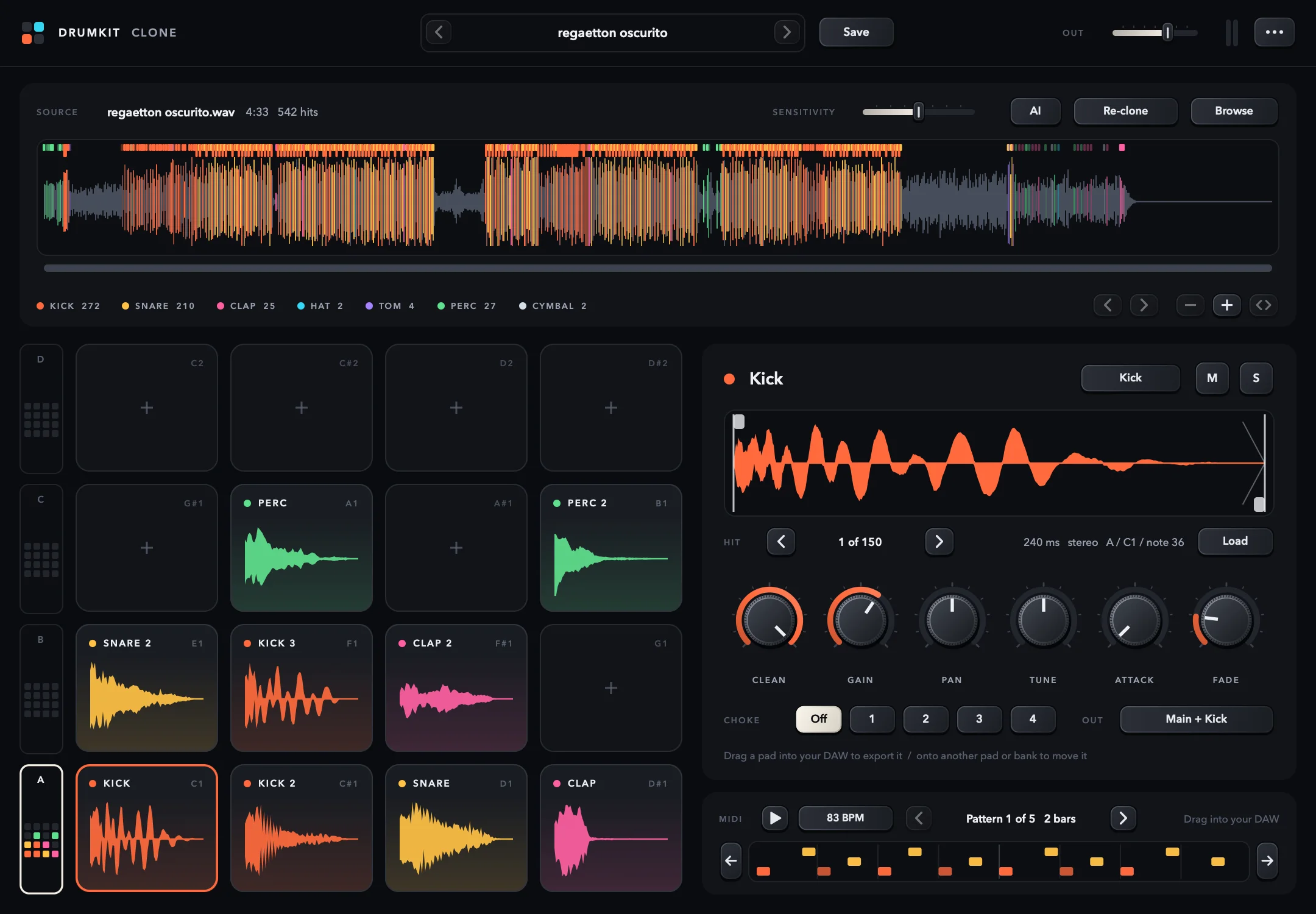
- 64pads in 4 banks, like a Drum Rack
- 8hit types: kick, snare, clap, hats, tom, perc and cymbal
- AIdrum separation built in
- 3finishes: Dark, White and Retro
From a song to a kit you can play.
Filmed in the studio: a track goes into the plugin, the pads fill up and get played from a controller.
Chapters
Four steps and no chopping by hand.
Detect
It finds every hit and tightens its start to the sample. Percussive weighting keeps vocals and chords from triggering false hits.
Classify
It measures how much new energy enters each frequency region and decides what it is: kick, snare, clap, closed or open hat, tom, percussion or cymbal.
Group
It gathers the hits that sound alike. Each group is one sound of the kit: if the song has two different snares, you get two pads.
Isolate
It stacks every hit of the same sound and keeps what repeats. What changes from hit to hit, like vocals or bass, falls away; what's left is the drum.
The whole kit on one screen.
Pick a part to see what it does.
SOURCE
Source
The waveform with every hit marked in its family's colour, and the count underneath. Zoom with the wheel or a pinch; the arrows jump from section to section.
Whole songs, vocals and bass included.


The same 4:33 song. Top: detection on the mix. Bottom, with AI: the sections with the most drums, highlighted, with no vocals or bass left.
AI drum separation, inside the plugin.
With AI on, Drumkit Clone first pulls the drums away from the rest of the mix and analyses only that. So whatever always plays along with a hit, like a bass that doubles the kick note, no longer sticks to the sound.
- Runs on your computer, offline
- One click on AI redoes a freshly cloned song in the other mode
- Each song is only separated once
When the song changes drums, so does the plugin.

Each kit to its own bank.
If a section uses a different kick and snare, Drumkit Clone notices and puts each complete kit in its own bank; shared sounds, like a hat, appear in both. Under the waveform you can see which kit plays in each part.
- A new kit only counts if it lasts 16 s in a row and has sounds of its own
- An intro with just hats, or a break where only the kick changes, isn't a new kit
- Turn it off in the menu: Split a song's kits into banks
Change the type and everything follows.
And make your own.
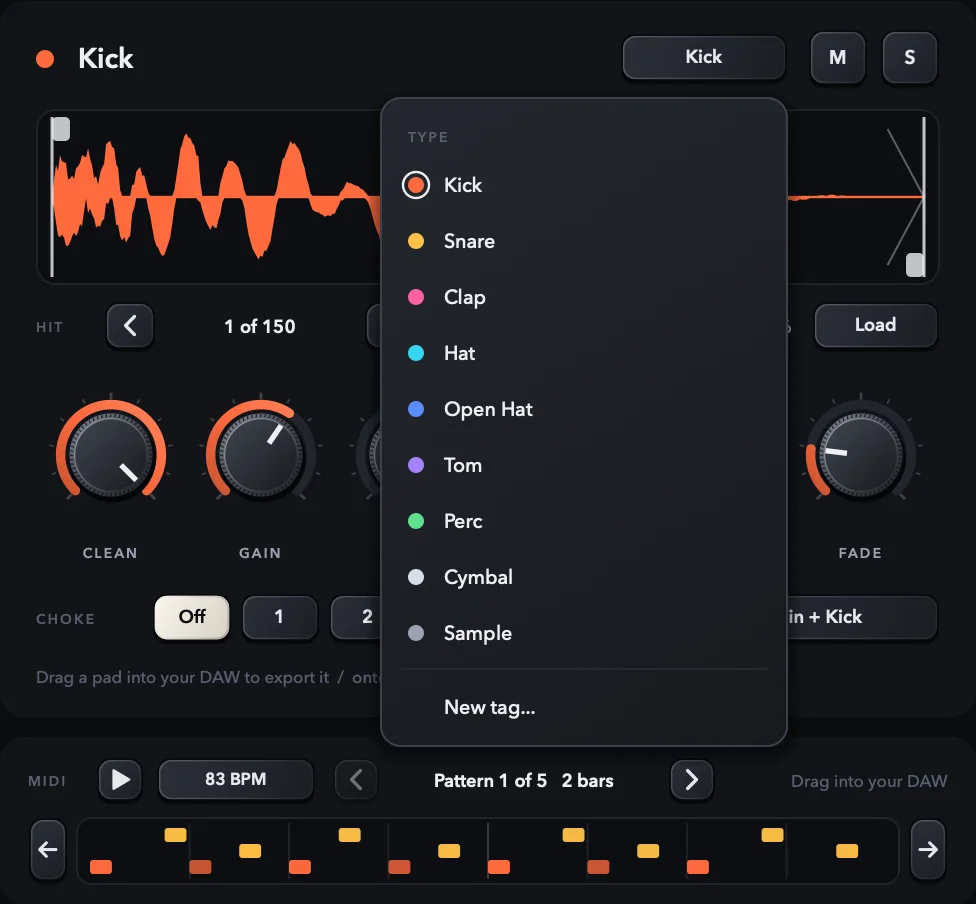
A pad's type sets its name, its colour and where its hits are counted in the audio view. If the plugin gets one wrong, fix it in a click. New tag... creates a tag with your own name and colour: it's kept for every session and travels inside the kit.
- Kick, Snare, Clap, Hat, Open Hat, Tom, Perc, Cymbal and Sample
- A name you typed yourself isn't overwritten when the type changes
Made for producing, not just for looking.
Drum Rack mapping
C1 is the kick, D1 the snare, F#1 the hat and A#1 the open hat. Your usual MIDI patterns play right away.
MIDI pattern
It reads the tempo and the drum pattern of the source and hands it to you as a MIDI clip. Press play to hear it on the kit, slide it with the arrows if it starts in the wrong place, and drag it into your DAW.
Separate outputs
One output per drum family besides the stereo one. Send the kick to its own track and sidechain your bass to it, or mix each drum on its own channel.
Drag and drop
Pull a pad out of the window and it lands in your DAW or the Finder as a WAV. Drop a file on a pad and it goes into that pad only; drop it on the source and you clone a new kit.
Everything is saved
Your DAW project keeps the samples with the session, and your kits live in your Music folder, under Drumkit Clone/Kits.
Automatable
Every pad's gain, pan, tune, attack, fade, start, length, clean, choke, mute and solo are parameters in your DAW.
Works in the DAW you already use.
 VST3 · AU
- Logic ProAU · macOS
 Pro ToolsAAX · macOS
 VST3
 VST3
 VST3 · AU
 Bitwig StudioVST3
- And in any DAW that loads VST3 or Audio Unit.
 VST3
macOS and Windows- AUAudio Unit · macOS
- AAXPro Tools · macOS
- APPNo DAW needed · macOS and Windows
 macOS10.15 or later · Apple Silicon and Intel
 Windows10 and 11 · 64-bit
Three looks, the same kit.
Switch them from the ··· menu, and the plugin remembers your choice between sessions.
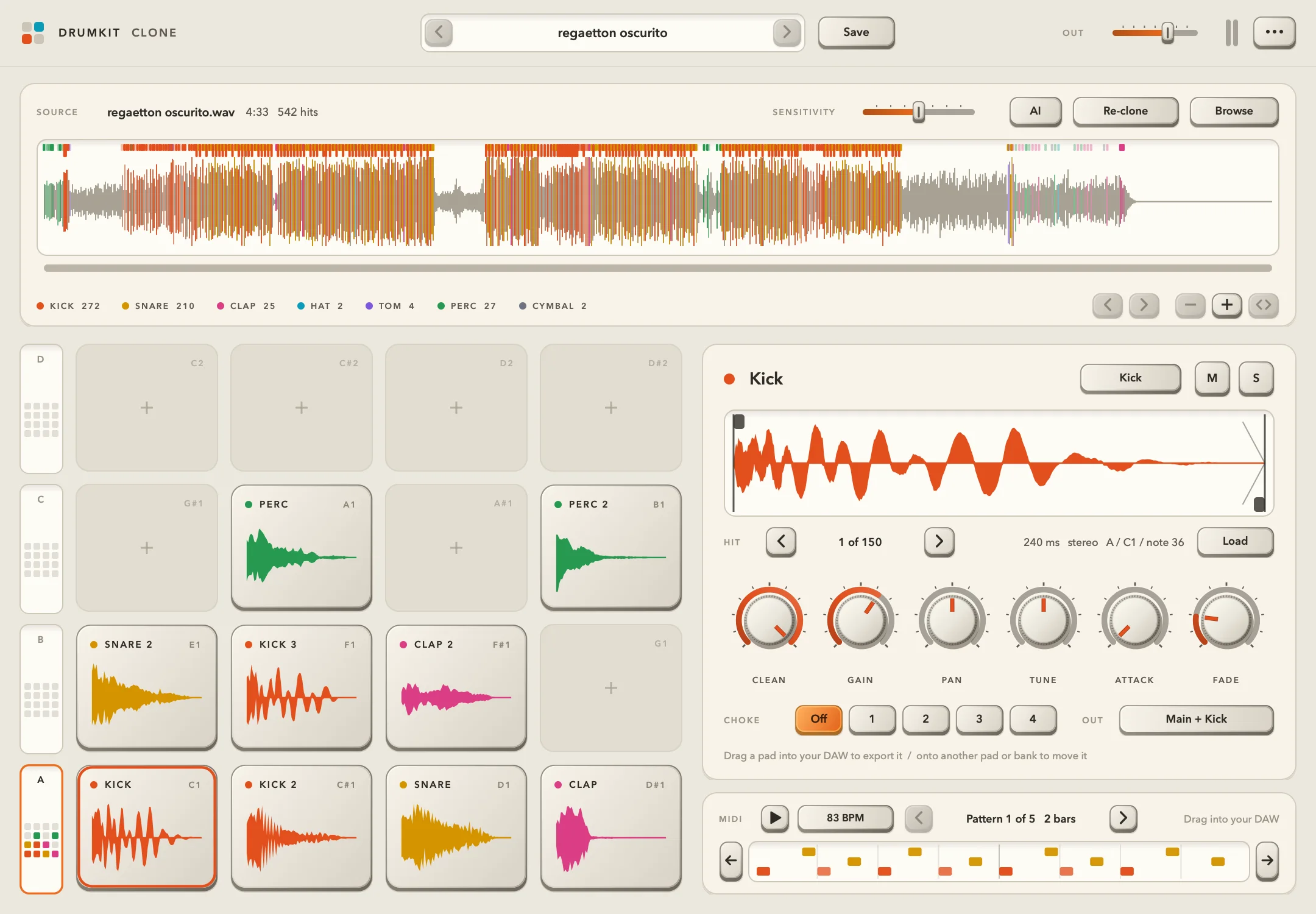
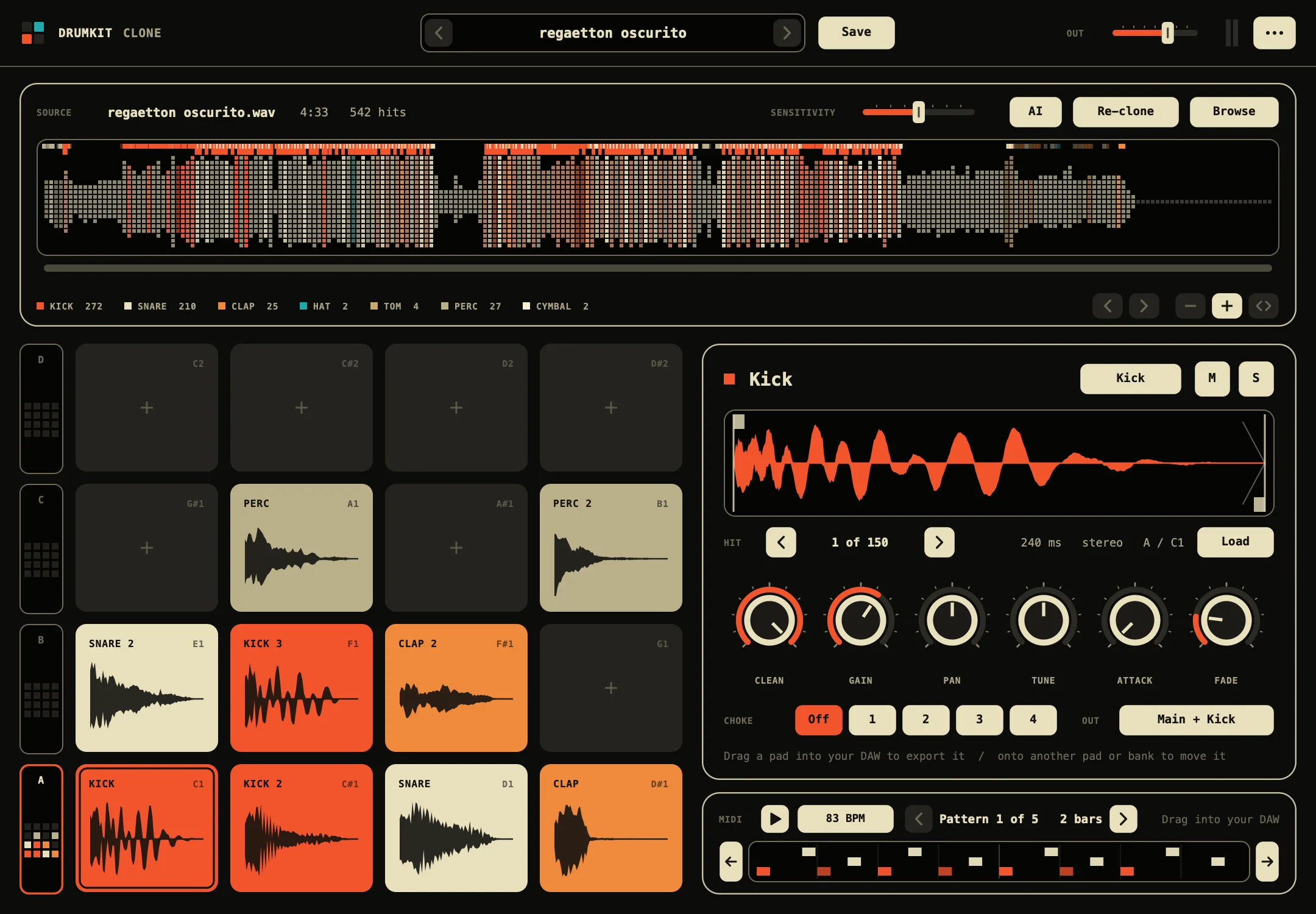
DARK The default finish: dark displays and each sound family in its own colour.
- Formats
- On macOS: VST3, Audio Unit, AAX and standalone app. On Windows: VST3 and standalone app.
- System
- macOS 10.15 or later, on Apple Silicon or Intel Macs, or 64-bit Windows 10 or 11.
- Installer
- On macOS, a .pkg signed and notarized by Apple with all four formats and the AI model. On Windows, an installer with the VST3, the app and the AI model; it is not Authenticode-signed.
- Pads
- 64, in 4 banks of 16.
- Outputs
- Main stereo and 8 stereo outputs, one per drum family.
- Audio
- WAV, AIFF, FLAC, MP3, M4A, AAC, OGG and CAF.
- AI
- Drum separation on your computer, offline.
- License
- One-time purchase, up to 2 computers. Activate once online, then work offline.
- Version
- 0.4.0, November 2026.
Which DAWs does it work in?
On macOS, any DAW that loads VST3 or Audio Unit, and Pro Tools (AAX). On Windows, any DAW that loads VST3. On both, also as a standalone app.
Does it work with whole songs or only loops?
Both. For a loop or a one-shot the normal mode is enough. For a song with vocals and bass, turn on AI: it separates the drums before analysing.
Do I need a powerful computer?
Not without AI. AI separation is more demanding: on computers with less memory it takes longer, and each song is only separated once.
Is there a trial?
No. It's a one-time purchase, and the instrument stays silent until it's activated.
How do I get it and activate it?
Your Imperium Sounds account has the installer and a DKCLN-… key. Activate with your purchase email and the key; you only need internet to activate.
Can I pay in installments?
Yes: 4 payments of $64.75, one every 30 days, with a $10.00 surcharge on the price. You get the plugin and your license with the first one. While you pay, the plugin needs to go online at least once every 14 days; once it is paid off, it works offline for good.
On how many computers?
Up to 2. You can free a computer from the plugin's menu to move the license to another one.
Will an update erase my kits?
No. Your kits live in your Music folder, outside the plugin, and no update touches them.
Can I sidechain to the kick alone?
Yes, since 0.3.0: the kick has an output of its own. In Ableton Live, create an audio track, set Audio From to the Drumkit Clone track and Kick-Drumkit Clone below it, set Monitor to In and Audio To to Sends Only; that track is your compressor's sidechain source. Live's Sidechain chooser only lists tracks, which is why that track is needed. In other DAWs, send the Kick output to a channel and use it the same way.
Your next kit is in that song.
VST3 · AU · AAX · App · macOS and Windows · one-time purchase · 2 computers